
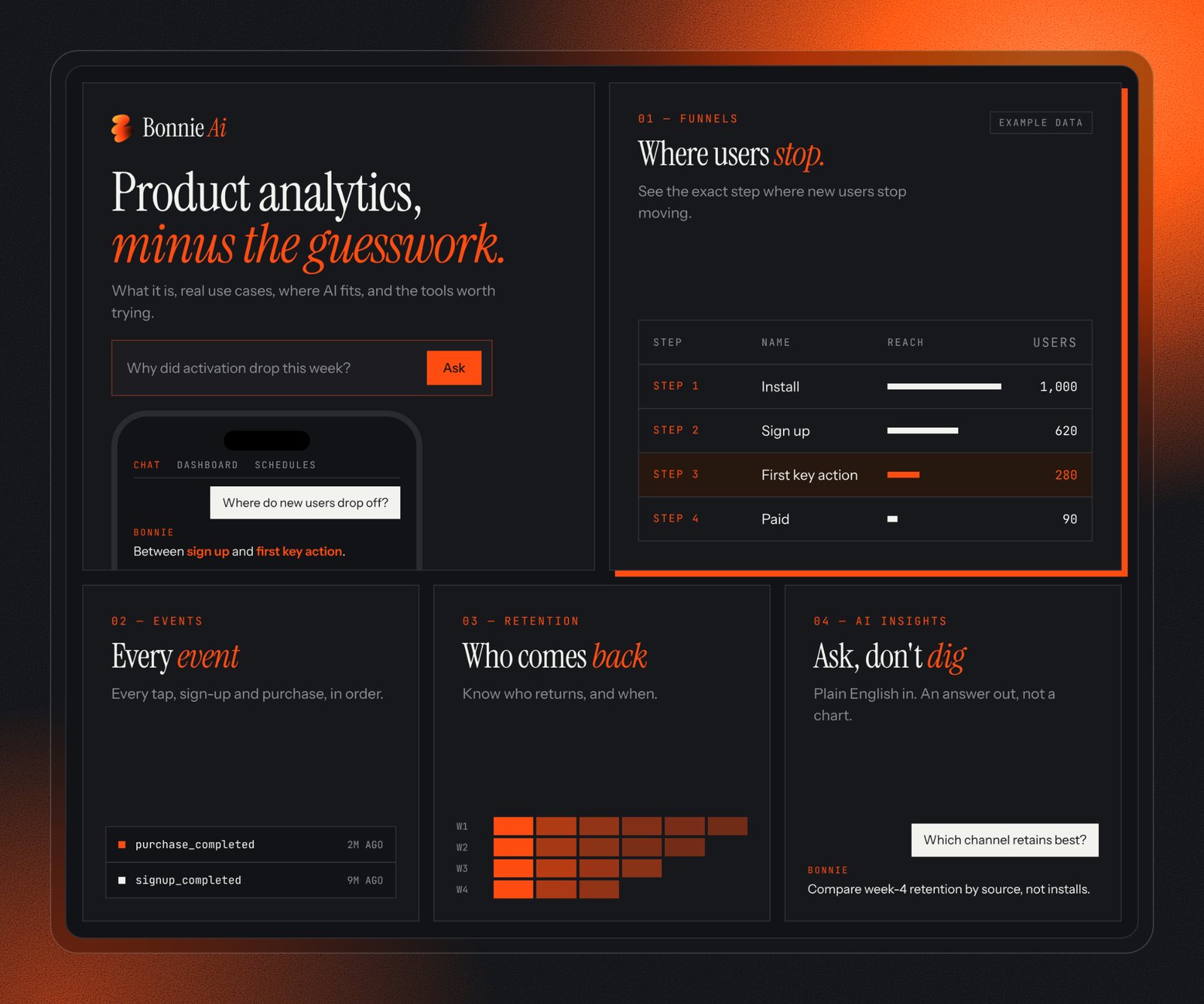
Getting your first 100 users is a win. But in order for those users to actually stay, and use your product, well, that’s the real victory.
Product analytics shows you what people actually do inside your app, so you can see where they get stuck, what keeps them coming back and what makes them pay. You built the app. People are downloading it. But are they finishing onboarding? Are they coming back next week? Are they paying? Download numbers alone won't tell you, and product analytics is how you find out.
The tricky part is that the answer is usually scattered across your analytics apps, your codebase and your product database, and they rarely agree on the same number. That gap is exactly why we started building Bonnie. It answered the questions we were wondering, and gave us the full picture, and it’s something we’ll come back to later in this blog.
In today's blog I will be breaking it down in four parts: what product analytics is, three real examples, how AI fits in, and which tool to pick.
What is product analytics?
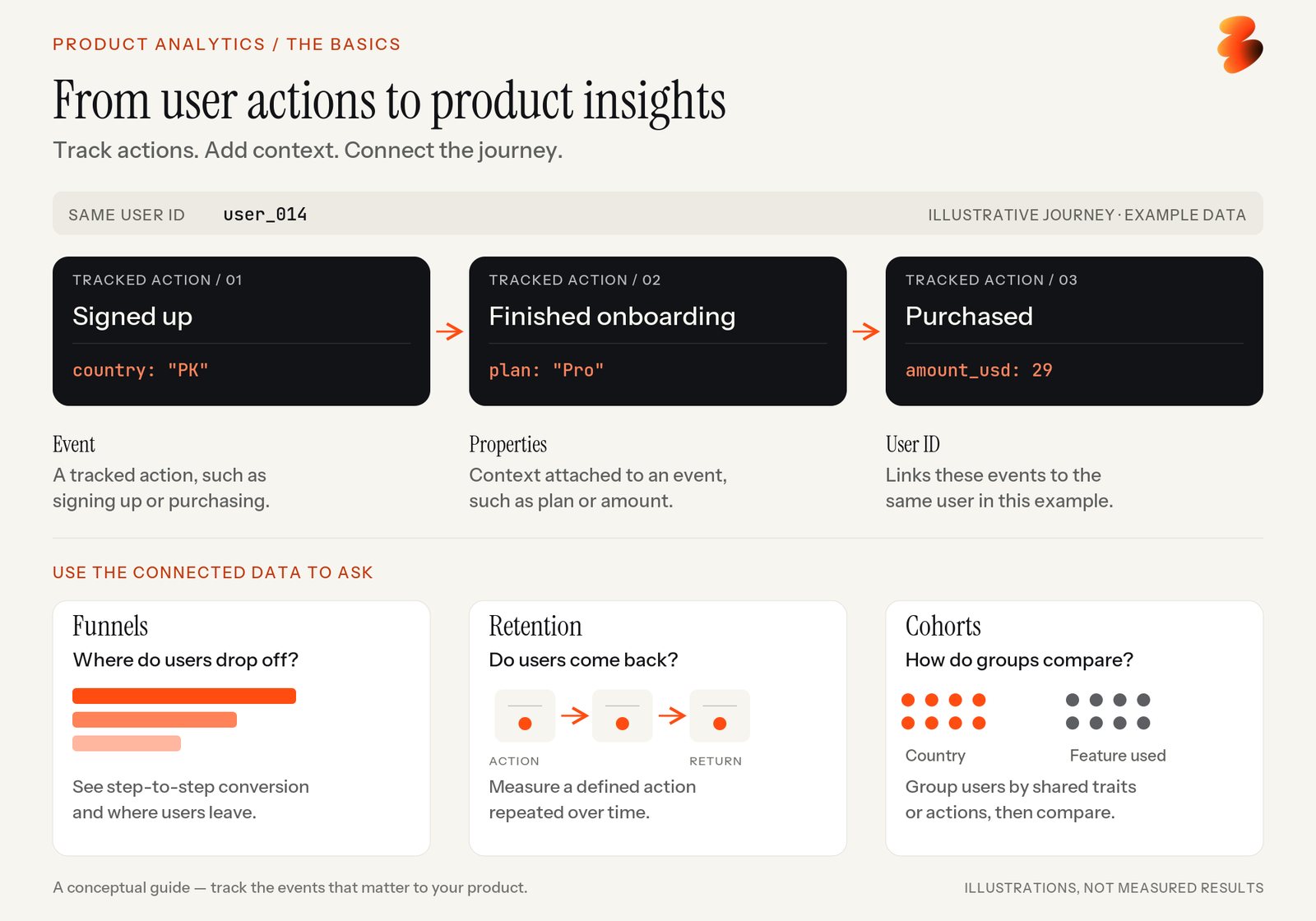
Product analytics tracks what users do inside your product. Every action is recorded as an event, such as signing up, finishing onboarding or making a purchase.
Each event can carry extra detail called properties, such as the plan someone picked or how much they paid. A user identifier links all of those events back to the same person.
Once that data is flowing, three reports answer most questions:
- Funnels show how many users move from one step to the next, and where they drop off.
- Retention shows whether users come back and do something again.
- Cohorts group users who have something in common, like the country they're in or a feature they used, so you can compare groups.
Note: product analytics can only report on what you track. If an action isn't tracked, it won't show up in your reports.
3 real examples of product analytics
1. Xapo Bank found out why applicants weren't verifying their identity
Xapo Bank could see applicants dropping off at identity verification. The team assumed people were uploading invalid documents.
When they split applicants by country, they found something else. In some regions, applicants weren't uploading anything at all, because they didn't have the type of ID the bank asked for.
So the bank worked with verification partners to accept more document types. Razvan Halbac, Product Manager for Customer Onboarding, reports that the number of applicants starting identity verification went up by 50%.
Method used: funnel analysis + cohort analysis. The funnel showed where applicants dropped off (identity verification). Splitting applicants into cohorts by country showed why.
2. WeMoney found a feature that kept users around
WeMoney found that users who set a money goal in their first three days were more likely to still be around after 12 months. The problem? The Goals feature was buried low on the home page, and plenty of users never found it.
So they made goal-setting part of onboarding, and the CEO reports a 20% increase in retention.
Keep in mind that the first finding shows users who set goals stayed longer. It doesn't prove that setting goals was the only reason.
Method used: retention analysis on a behavioural cohort. WeMoney grouped users by one action (setting a goal in the first three days) and compared their 12-month retention with everyone else's.
3. Walkie-talkie found its users wanted the opposite of what it was pushing
Walkie-talkie's onboarding asked new users to upload their contacts and start with private channels with friends. But the data showed that users of public channels, where you talk to strangers, had the highest 30-day retention.
So they flipped onboarding. New users now make three new friends on public channels in their first three days, and only after that are they asked to invite people they already know. 30-day retention went from under 8% to over 20%.
Method used: retention analysis by user group. Walkie-talkie compared 30-day retention between users of public channels and users of private ones, then rebuilt onboarding around the group that stayed.
The pattern across all three: the first guess was wrong, and the data pointed somewhere else.
Product analytics and AI
Lately, how product analytics is studied has changed for the better. With the help of artificial intelligence, questions can be answered faster, and decisions can be taken quicker.
Hence, instead of building every report by hand, you can now ask a question in plain English. Instead of sifting through thousands of pages worth of data, your agent is able to take insights from that data, connect the dots, and build a dashboard.
However, there still are two things to keep in mind:
- AI still needs good tracking. It can only work with the events you've set up. You can also name the exact event, such as user_signed_up, if the AI can't find the right one.
- AI can be confidently wrong. AI presents false information with confidence, sometimes with made-up reasoning or citations to back it up. So check any surprising answer before you act on it.
That's why Bonnie AI separates verified facts from hypotheses and tells you which sources agree.
3 product analytics tools compared
Every tool here is good at something, and every tool asks you to give something up. So for each one, here's the one feature worth knowing and the one trade-off to keep in mind.
1. Mixpanel
- Standout feature: Mixpanel Agent, included on every plan, even Free. Describe what you want and it builds Insights, Funnels, Retention and Flows reports, creates cohorts, and analyses session replays alongside your event data.
- Trade-off: if your data lives in a warehouse, warehouse connectors are only on the paid Growth and Enterprise plans.
(Mixpanel pricing · Mixpanel Agent)
2. Amplitude
- Standout feature: the biggest free allowance of the three, at 2 million events a month, with autocapture and unlimited team members.
- Trade-off: Growth and Enterprise use custom pricing, so you can't see what the bigger plans will cost on the pricing page.
3. PostHog
- Standout feature: one SDK gets you analytics, session replay, feature flags and experiments, and each product has its own free allowance.
- Trade-off: on the free plan, any events over 1 million a month are permanently dropped, so you lose that data rather than pay for it.
Quick comparison
| Tool | Standout feature | Trade-off |
|---|---|---|
| Mixpanel | AI agent included on every plan | Warehouse connectors are paid-only |
| Amplitude | 2M free events a month | Bigger plans have no public price |
| PostHog | One SDK for analytics, replay, flags and experiments | Free-plan events over 1M are dropped |
Where Bonnie AI fits
Mixpanel, Amplitude and PostHog all track events and analyse them. Bonnie AI is the intelligence layer that sits on top of the tools you already use.
Every analytics tool is brilliant at one thing. Google Ads knows where your users came from. Mixpanel knows where they dropped off. RevenueCat knows who paid. GitHub knows what changed in your app.
But none of them can tell you why.
Once you connect your tools, Bonnie uses the strength of each one, analyses your data as a whole, and comes back with one answer and what to check next. No tabs. No spreadsheets. No waiting on an engineer.
For example, you ask "Installs are up, so why aren't subscriptions growing?" Bonnie reads your ads, your funnels, your subscriptions and your latest release together to find where the drop actually starts.
Here’s what we suggest: let Mixpanel, Amplitude or PostHog do what they do best, which is tracking events. Then connect them to Bonnie AI, along with your ads, revenue and code. Now you only open Bonnie to direct your questions.
Frequently asked questions
What is product analytics?
Product analytics tracks what users do inside a digital product, such as signing up, finishing onboarding or purchasing, so teams can see where users drop off, what keeps them coming back and what makes them pay.
What is the difference between a funnel and retention?
A funnel shows how many users get from one step to the next in a single journey. Retention shows whether users come back and act again over days, weeks or months.
Can AI do product analytics for me?
AI tools like PostHog AI, Mixpanel Agent and Bonnie Ai can build reports and answer questions in plain English. They still depend on good tracking, and their answers should be checked, because AI can present wrong information confidently.
Does Bonnie AI replace Mixpanel, Amplitude or PostHog?
No. Bonnie AI connects to your existing tools, such as Mixpanel, Firebase, RevenueCat, Stripe and GitHub, and answers questions across all of them at once.
Next read How to Set Up Bonnie Ai: Connect Google Ads, PostHog, RevenueCat & GitHub (+3 Prompts)